AI Virtual Staging, with real control
Furnish any space with AI. This time, you decide the layout.
Lumo Stage combines AI virtual staging, 3D spatial planning, and furniture control to convert real photos into designed spaces with much greater precision.
Lumo Stage / Barcelona Apartment
Ready to render

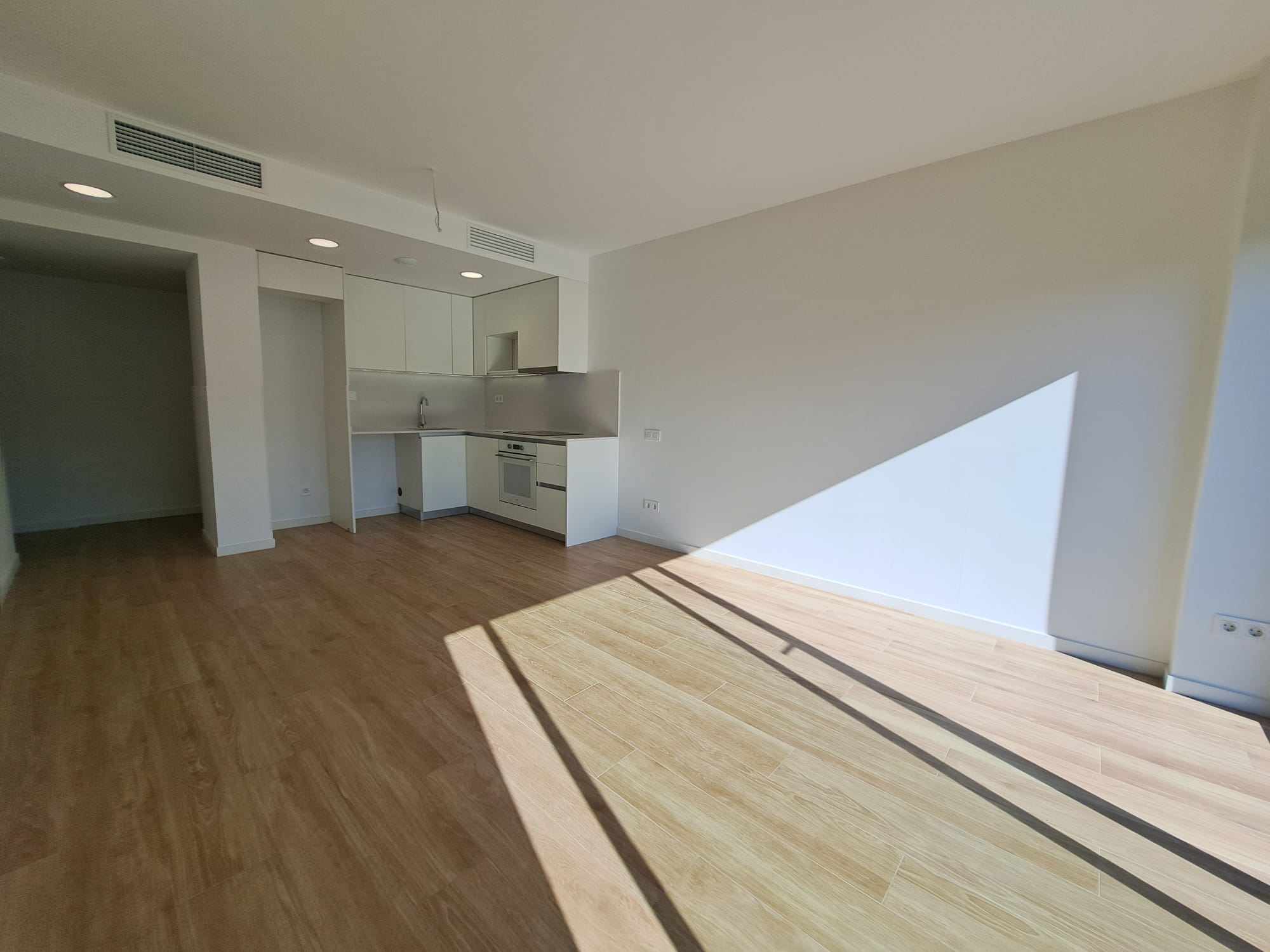
Photography → furnished proposal
Settings
Room · Living room
Style · Soft Mediterranean
Floor · Natural oak
Walls · White lime
Generate proposal
One photo. More intention.
It’s not just another interior generator.
It’s not about asking an AI to imagine a room. It’s about giving it the necessary information to design it with you.

Original

Targeted result
Delete what already exists
Visually empty furnished rooms before starting.
Define the style
Control the room, style, flooring, and walls before rendering.
Scale the space
Add real dimensions using the 3D spatial editor.
Decide on the layout
Place the furniture before generating the final render.
3D spatial control
AI sees a photograph. Lumo Stage understands the space.
We don’t ask the AI to guess the space. We give it context about its dimensions, proportions, and depth before generating.
2.04 m × 2.95 m — dimensions that shape the scene.
Greater control over scale, surface, and actual size.

2.04 m
Defined area
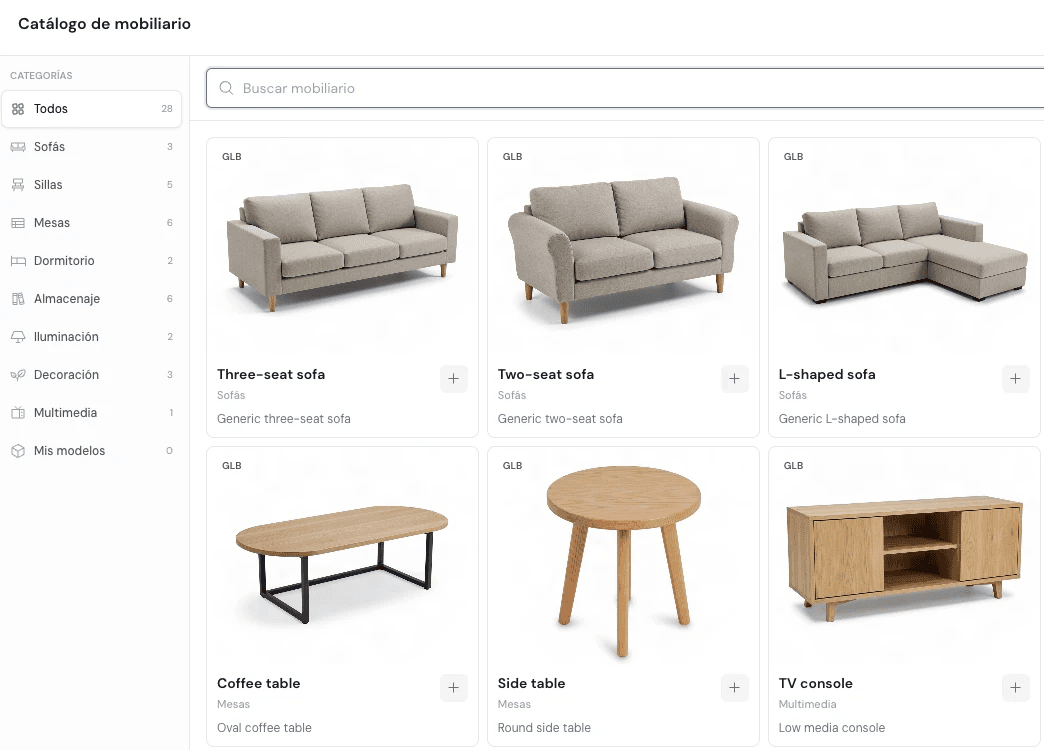
3D furniture catalog
Layout before render
Decide where everything goes before rendering.
Select furniture, try a layout, and use that composition as a reference for the AI-generated result.
Do you need a specific piece of furniture? Upload yours.
How it works
From real space to the result in four steps.
01
Upload a photo
Create a Project and add its different Spaces.
02
Prepare the room
Define room, style, walls, and floor. Remove furniture if you need to.
03
Define dimensions and layout
Add real surface and position furniture when you need control.
04
Render with AI
Lumo Stage uses all available information to create the proposal.
Projects and spaces
A apartment is not an image. It is a project.
Organize each property as a Project and each room as a Space. Keep photos, proposals, and renders always associated with the correct place.


Made to make better decisions before executing.
Show the potential, not just the current state.
For empty, old, or visually unappealing apartments.
From an idea to a visual proposal much faster.
Accelerate initial concepts, alternatives, and proposals without replacing your own judgment.
One workflow for all your properties.
Projects, spaces, and multiple renders organized clearly.
Frequently Asked Questions
What is a credit?
Credits represent AI processing consumption. Different operations may require different amounts, and Lumo Stage displays the cost before starting an operation.
Can I work with rooms that already have furniture?
Yes. Lumo Stage allows you to remove the existing furniture before creating a new design.
Can I decide where to place the furniture?
Yes. The editor allows you to arrange the furniture layout before generating the final result.
Your space already exists.
Now show everything it could be.
Upload a photo, define the space, and create your first proposal with Lumo Stage.